Turn incoming email into a useful answer
Hubbery helps handle customer questions from your existing mailbox. Hubby uses your business knowledge, prepares a draft or replies independently within the limits you set.
No credit card · Start with your business knowledge · Separated per organisation
Answers from your knowledge
A question about opening hours or a manual should not need a fresh answer every time. Hubby searches approved knowledge and can ask for missing information. You decide how independently he may work for each topic.
A colleague when needed
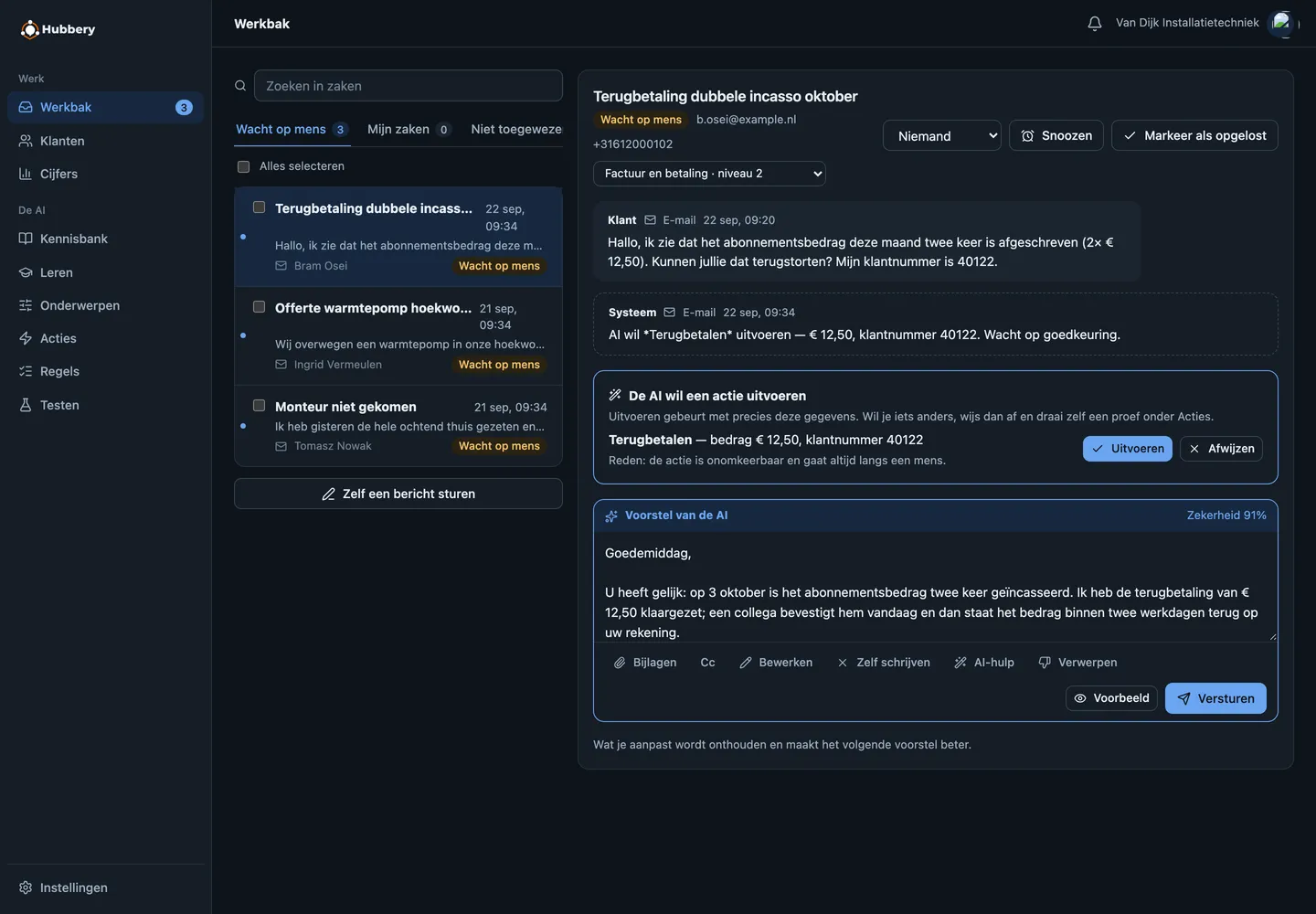
The Inbox shows cases, conversations, status and responsibility. A colleague can review, edit and send a proposed reply. Rules can determine which topics require approval and how newsletters are handled. You review feedback and knowledge proposals; they do not automatically train the model.
Attachments and follow-up
Attachments stay with the case and can accompany a reply. Hubby can use available, processed content to answer a question; receiving a file does not mean every part has been understood. Related phone calls and messages can continue in the same case.
Connect your mailbox
Connect your existing mailbox using an available provider connection for Gmail or Microsoft 365, or through IMAP/SMTP if your provider supports that sign-in method. You complete the provider permissions and security steps, then choose the knowledge and working rules. Connecting a mailbox and importing historical messages are separate steps.
Connection, settings and costs
The available connection, knowledge and permissions determine what Hubby can do for your organisation. Channels are part of Hubbery; capacity, message usage and phone conditions are explained on the pricing page.
Questions about this channel
Can I keep my existing email address?
Yes, you can connect a supported existing mailbox. Hubbery does not need to become a new customer-facing address. The required permissions and configuration depend on your provider.
Is every reply sent immediately?
You choose the working rules. Hubby can prepare drafts or reply independently where permitted. Missing authority or necessary human review is shown in the Inbox.
Does old email automatically become knowledge?
No. Import, knowledge proposals and review are separate steps. You decide which knowledge can be used for answers.
View a screen example
This screen example shows the earlier design, with fictional demo data.
Start by watching along
Create an account, connect one mailbox and put every topic in shadow mode. Then you see for a week what Hubbery would have answered, without a single customer noticing.