Skip to content

Guide Hubbery

Your knowledge, your systems, your boundaries. See how you decide what Hubby helps with and when it is your turn.

Your daily workspace

Keep an overview and guide Hubbery

Customer conversations and your conversation with Hubby each have their own place. See the work and ask for help with the next step.

Inbox: your cases and follow-up

See all cases, your own work and what needs a human. Within a case you find the conversation, channels, context and proposed replies.

  • See who is handling a case and its status.
  • Review ongoing and resolved cases and follow activity.
  • Take over when needed and hand the conversation back to Hubby according to your settings.

Hubbery Chat: help for you

The internal chat is your conversation with Hubby, separate from website chat for customers. Ask where a setting is, get an explanation or prepare available work.

  • Find the right page using supported navigation requests.
  • Get help with a reply, knowledge suggestion or available setting.
  • Review a proposal before approving an action where required.

Supported requests and connected actions determine what is possible. Continuous voice conversations with Hubby are a future extension.

Knowledge

It does not start from zero

A help desk that switches has been answering for years already. That history is the knowledge base nobody ever wrote down.

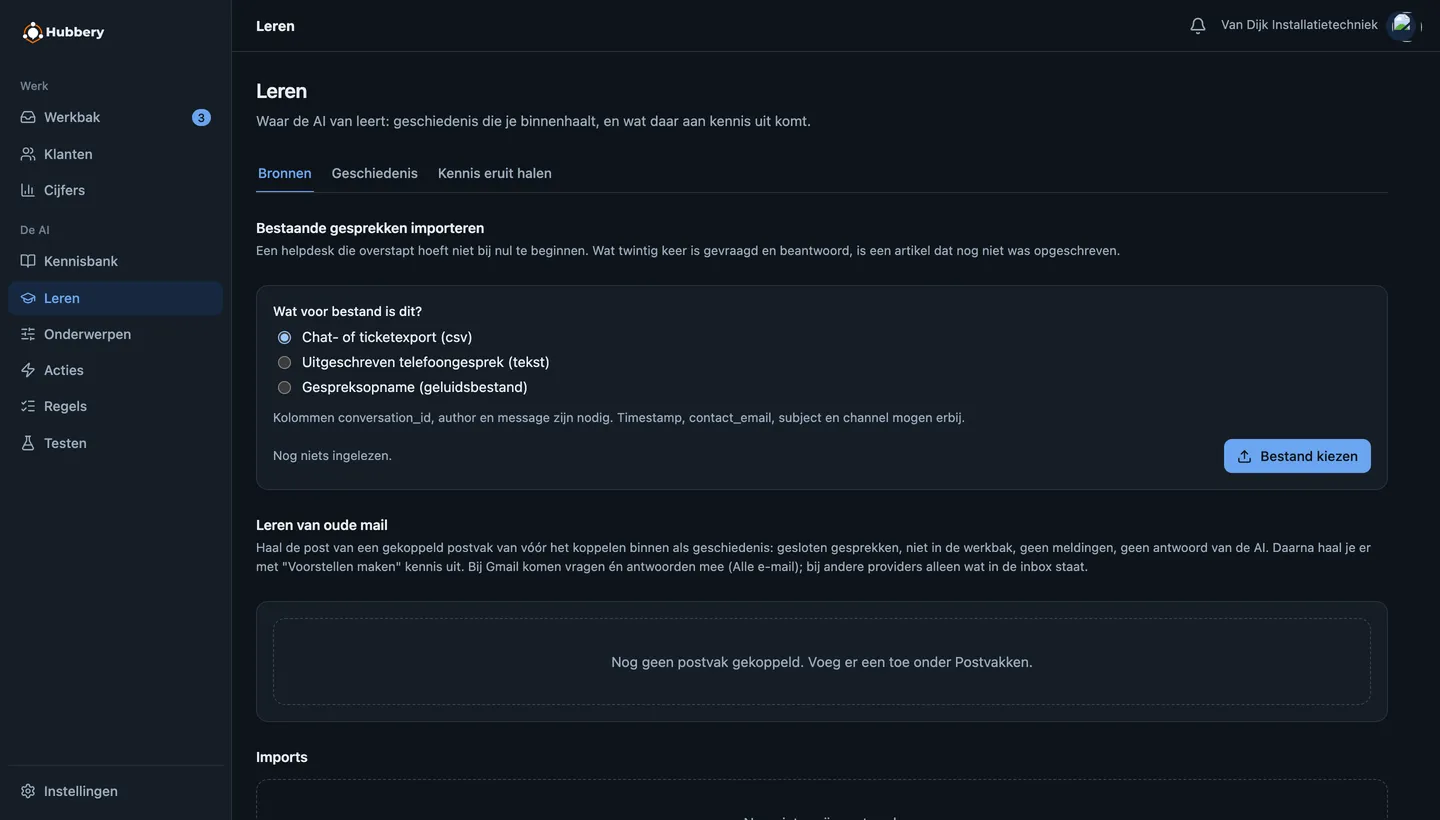
  • Import a ticket or chat export, transcribed phone calls or audio recordings
  • Hubbery finds what was asked often and proposes knowledge articles from it
  • You approve; only approved knowledge is used in answers
  • Imported history stays out of the inbox and out of this month’s numbers
  • Feedback and corrections can produce new knowledge proposals. You review them before use; this does not automatically train the language model.
View a screen example

This screen example shows the earlier design, with fictional demo data.

Reading in old conversations and pulling knowledge out of them.
Reading in old conversations and pulling knowledge out of them.Screenshots from the application, with made-up demo data.

Actions

Answering alone is not enough

Some questions need more than an answer, such as looking up information or preparing a change. With a configured integration, Hubbery can use actions in your systems. You define each action’s boundaries and when approval is required.

Looking up is allowed sooner than changing

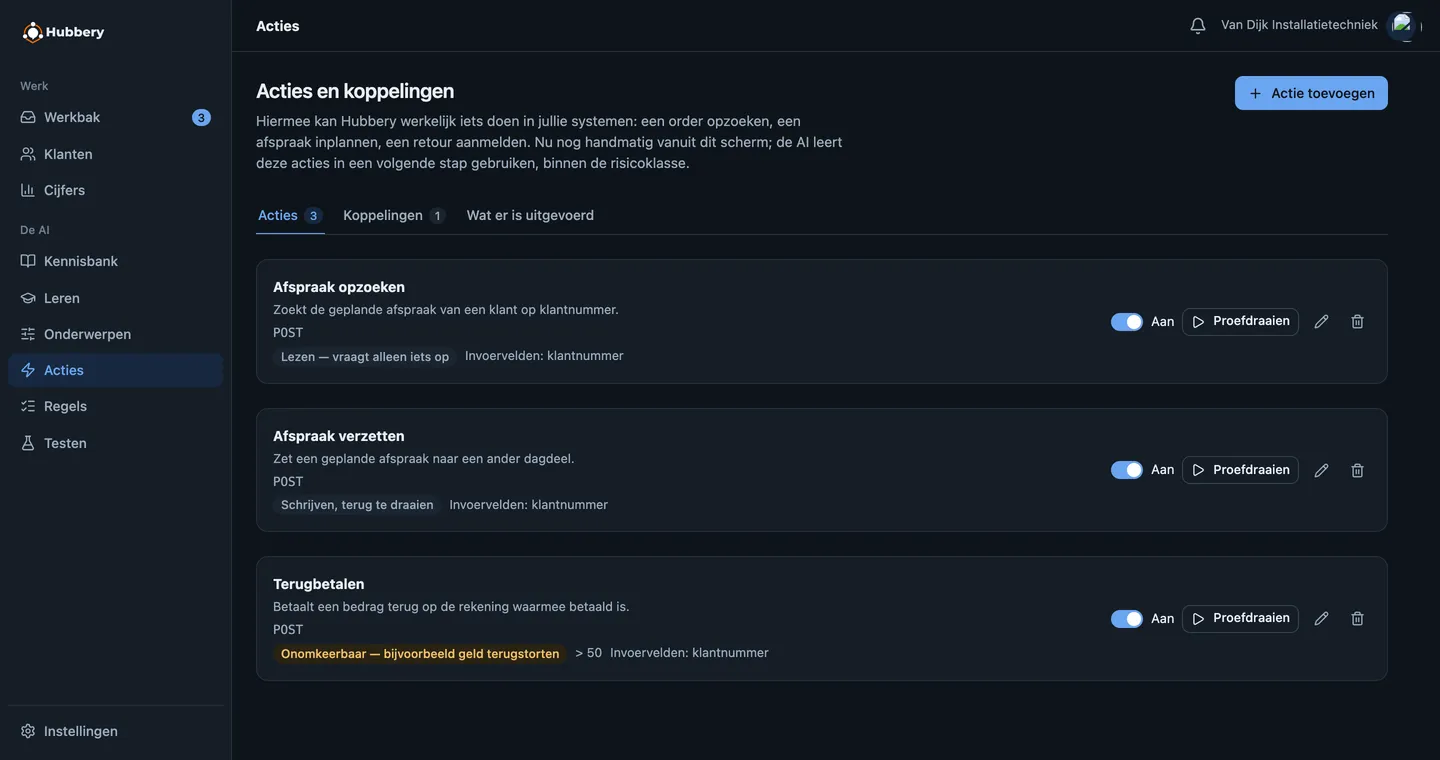
Every action has a risk class: read, reversible write, or irreversible. Reading is allowed from level 2, changing only higher up.

Irreversible always passes a human

Refunding money or cancelling something for good is never done by Hubbery alone. It prepares it with the filled-in values; a colleague signs off in one click.

The customer’s yes is a fact, not a claim

When it asks the customer to confirm, it only executes once that same action with those same values really was confirmed. The model cannot simply claim it.

View a screen example

This screen example shows the earlier design, with fictional demo data.

Actions with their risk class: reading is allowed sooner than refunding.

Your control

You decide what it may do alone

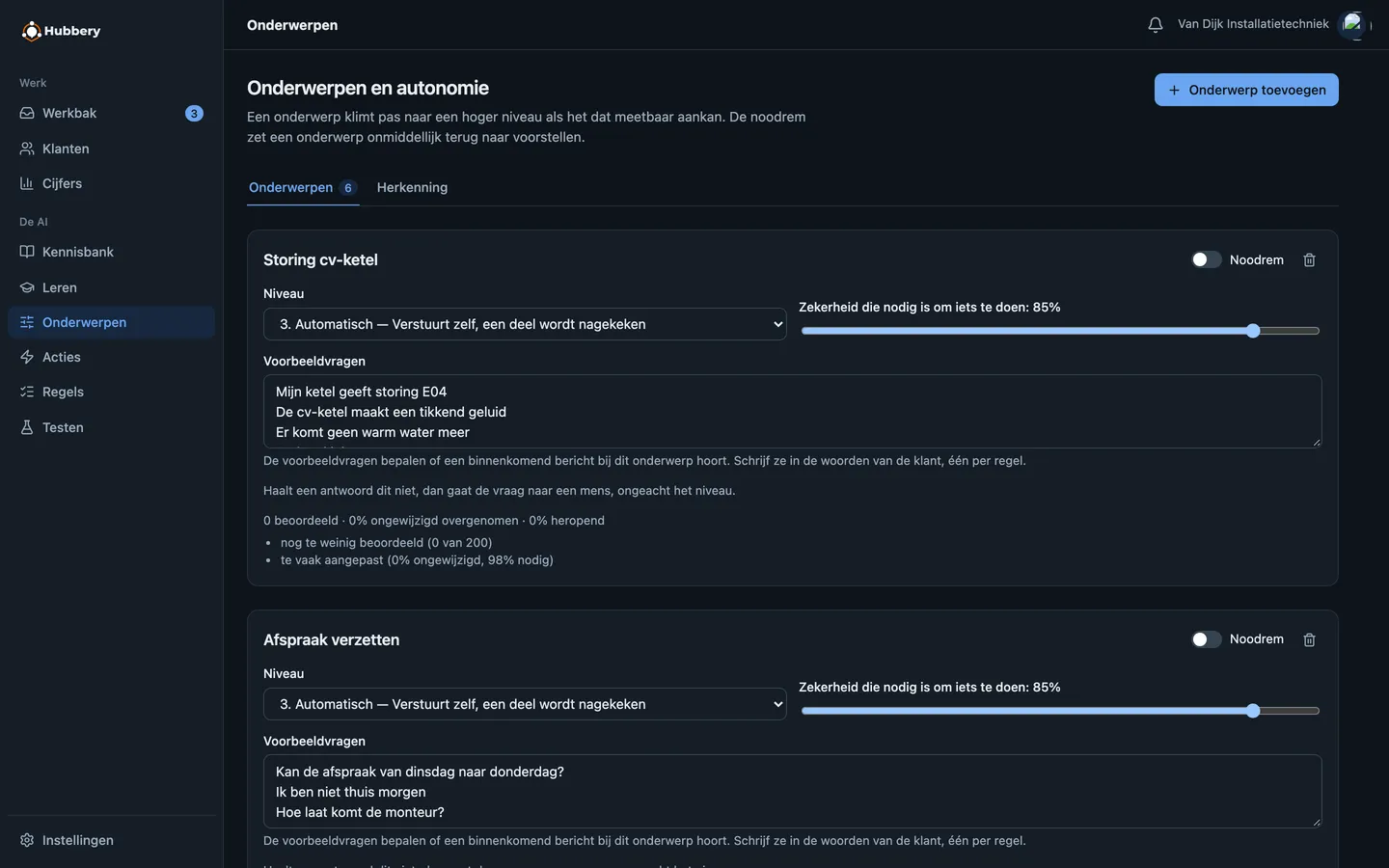
Autonomy is a ladder rather than a switch, and the ladder is set per topic. "Opening hours" can answer on its own long before "complaint" may do anything at all.

  1. 0 · ShadowIt thinks along, you see it, the customer notices nothing.
  2. 1 · ProposalThe answer is ready; a human reads it and sends it.
  3. 2 · DraftIt may look things up in your systems; a human sends.
  4. 3 · AutomaticIt sends by itself; a sample is reviewed afterwards.
  5. 4 · AutonomousOnly for topics that measurably handle it.

A topic does not climb by itself: only once enough answers have been reviewed and went out virtually unchanged does Hubbery propose a higher level.

View a screen example

This screen example shows the earlier design, with fictional demo data.

A level, a threshold and an emergency brake, per topic.

Working carefully

Careful with data, and demonstrably so

Customer service data is personal data. That is why the separation between organisations here is not a promise but a lock in the database, and why every action can be traced.

Read how we do that →
  • Row-level security: the database itself refuses another organisation’s data
  • Secrets and passwords stored encrypted, never in logs
  • A full trail: which knowledge, which model, who approved
  • A data processing agreement and a list of sub-processors
  • Your conversations are not used to train third-party models

One case across every channel

Related messages and calls can belong to the same case. Hubbery uses recognizable contact and conversation context; you can review and correct the link.

Approved knowledge and human control

Hubbery uses approved knowledge for substantive answers. When information or authority is insufficient, it can ask a follow-up question or refer the case to a colleague. You can review and correct answers.

Works with your existing mailbox

Connect your existing mailbox using an available provider connection for Gmail or Microsoft 365, or through IMAP/SMTP if your provider supports that sign-in method. No migration and no new address.

Explainable afterwards

For every answer you can see which knowledge fragments fed it, how certain the model was, and who approved what when.

Frequently asked questions

The questions that always come up in the first conversation, with the honest answer.

How does Hubbery limit incorrect answers?

Hubbery uses approved knowledge and checks whether sufficient information and authority are available. When unsure, it can ask a follow-up question or involve a colleague. AI can make mistakes; you can review and correct answers, their source knowledge and assessments.

What happens when it does not know?

Hubbery can ask for clarification or refer the case to a colleague in the Inbox. On the phone it transfers when configured; otherwise it records a contact request and confirms the preferred number or email address.

Do we have to replace our ticket system?

No. You connect your existing mailbox; nothing changes about your address or your website. Hubbery can do the work itself, or only deliver proposals your colleagues use at their own pace.

How quickly is it running?

Setup depends on your channel, provider permissions and available knowledge. Start with one connection, add initial knowledge and test your workflow. Allow a topic to answer independently only after reviewing how questions are handled.
Frequently asked questions →

Start by watching along

Create an account, connect one mailbox and put every topic in shadow mode. Then you see for a week what Hubbery would have answered, without a single customer noticing.