Give website visitors an answer to their question
Add the Hubbery chat widget to your website. Visitors ask questions and receive help from your knowledge, with follow-up questions and human involvement where needed.
No credit card · Start with your business knowledge · Separated per organisation
A conversation about your business
A visitor might ask about a product, opening hours or a manual. The widget displays the answer as it is generated. Hubby can ask for missing information and uses the knowledge you have made available for customer contact.
Follow-up that stays visible
If a colleague needs to review something or a visitor needs further help, the widget can request contact details. A callback request becomes a request for a colleague; it is not a promise that an automatic call will happen.
Your widget and settings
Configure its presentation, allowed websites and retention period. Visitors are told that AI is being used. The widget is available in Dutch, English, German and French. Conversations and available satisfaction feedback help you review how questions are handled.
Part of the daily workflow
The conversation appears in the Inbox, so a colleague can see the question and existing context. Website chat is for customers. Internal Hubbery Chat is for employees who want to guide Hubbery, ask for information or prepare work.
Connection, settings and costs
The available connection, knowledge and permissions determine what Hubby can do for your organisation. Channels are part of Hubbery; capacity, message usage and phone conditions are explained on the pricing page.
Questions about this channel
How do I install the widget?
Create a widget, specify the allowed websites and add its code to your site. Then test it with your knowledge and settings.
Can a colleague take over?
Yes. When human review is needed, the conversation becomes a case for follow-up. Available contact details and conversation context remain visible.
Is this the same as Hubbery Chat?
No. Website chat helps visitors on your site. Hubbery Chat helps you, as an employee, work with Hubbery.
View a screen example
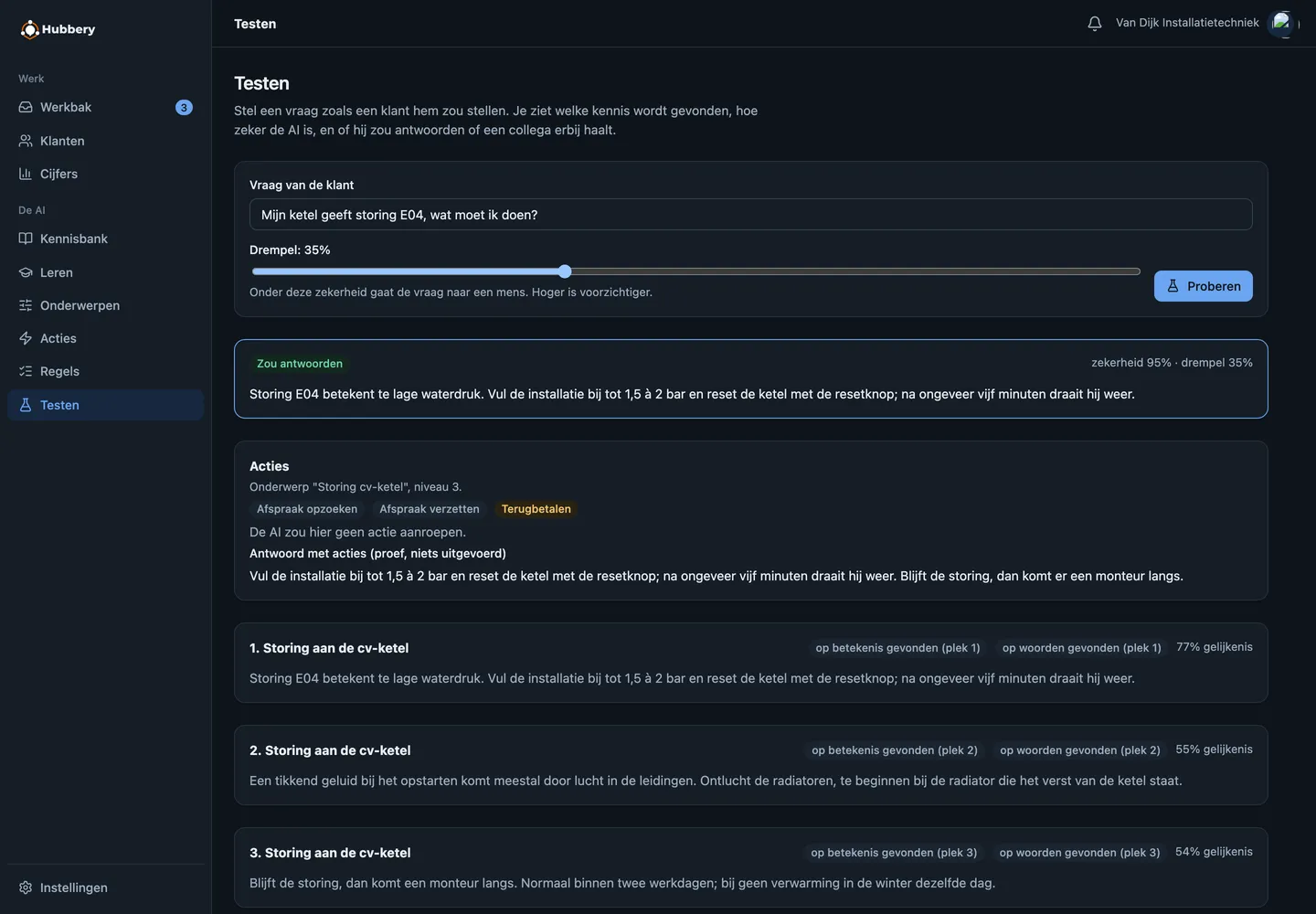
This screen example shows the earlier design, with fictional demo data.
Start by watching along
Create an account, connect one mailbox and put every topic in shadow mode. Then you see for a week what Hubbery would have answered, without a single customer noticing.